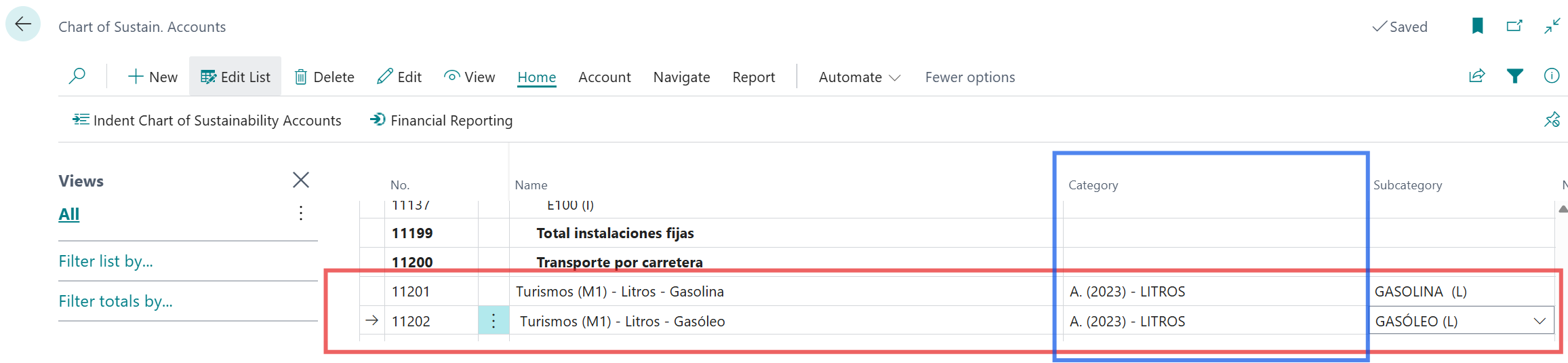
In Business Central, Sustainability Categories and their Subcategories form the foundation of the Sustainability Chart of Accounts, a tool you’ll need to structure the recording and tracking of an organization’s carbon footprint. In this article, we explain how to configure them using the MITECO Model as a practical example aligned with the GHG Protocol.
The importance of Sustainability Categories and their configuration cannot be understood without also considering the Subcategories. In fact, it cannot be fully grasped without both the chart of accounts and the subcategories. Therefore, as a first step after configuring the system, we must focus on the emissions structure we choose to implement.
Possible Models
The Sustainability module in Business Central is designed to operate within the three scopes defined by the GHG Protocol. Can we use other models? (ISO-14064-1, CDP, SBTi) My answer is… well, technically yes, we could. In any case, you are required to work within the “emission scopes” that Business Central provides—a topic covered in detail in another article. If you’re able to build your model without ignoring the importance of emission scopes, go ahead.
My opinion is that regardless of the approach you take, focusing your structure on Scopes 1, 2, and 3 is the way to go. Integrating CDP, for example, can be quite a challenge, but ISO-14064-1 seems more feasible, as its direct and indirect emissions structure aligns more easily with the GHG Protocol.
In this article, we will focus on a GHG Protocol-based model and aim to explain it from the perspective of a Spanish company. For that purpose, we will use, as both a starting point and practical example, the emissions calculator (EXCEL) developed by the Spanish Ministry for the Ecological Transition and the Demographic Challenge. Official access available. From here on, we will refer to this example as the MITECO Model.
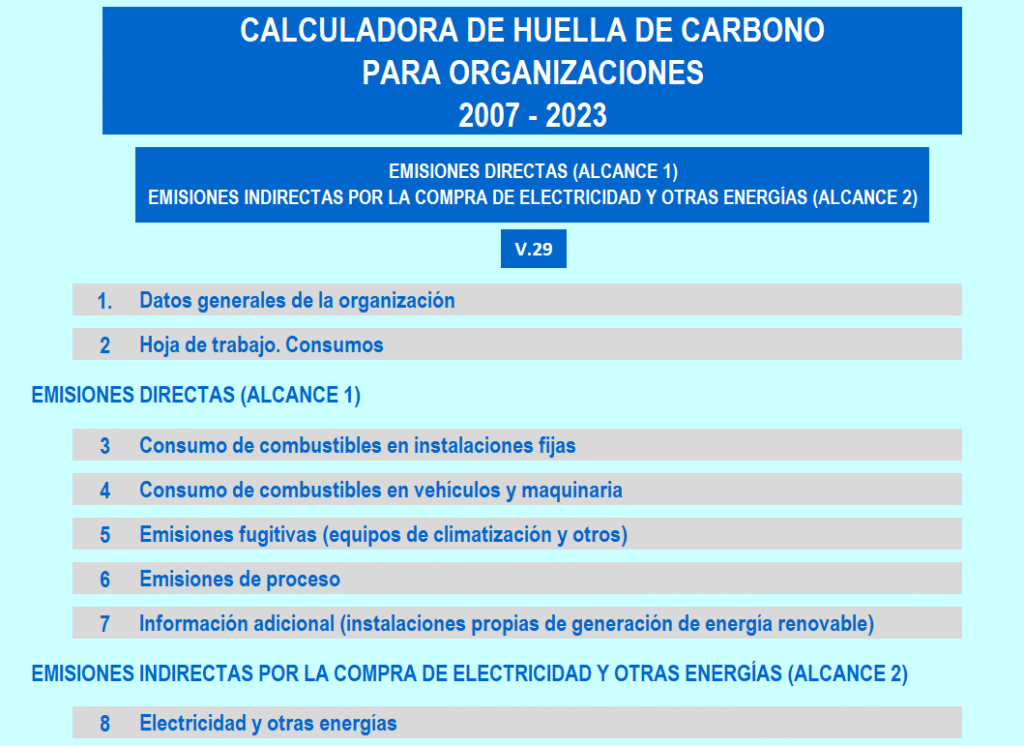
Let’s remember at this point that the MITECO Model only covers up to Scope 2, without addressing Scope 3. In any case, it will help us understand how to use the Sustainability Chart of Accounts, including sustainability accounts and subaccounts.
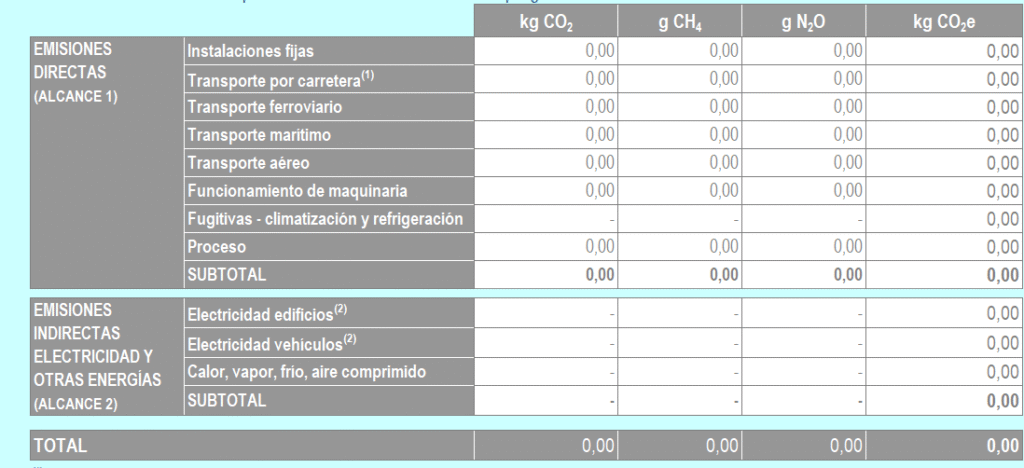
The image above shows the emissions totalizer from the MITECO Model.
Sustainability Chart of Accounts
Using the Sustainability Chart of Accounts screen, we can begin to build our MITECO Model in the same way it is organized by the Ministry itself.
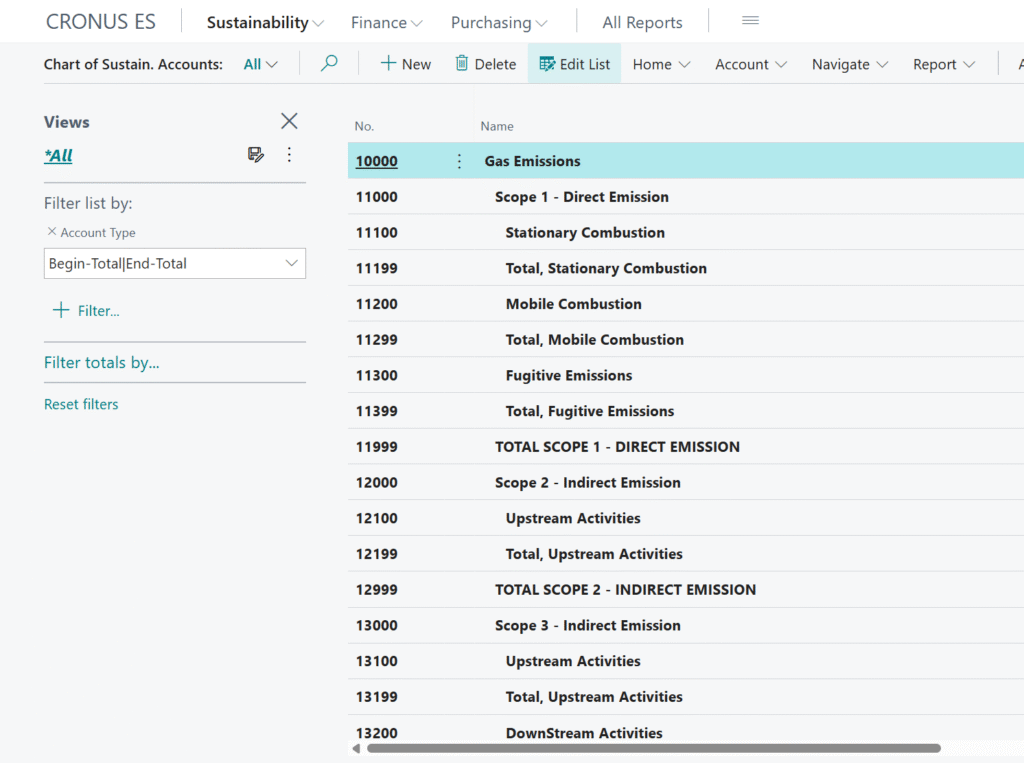
So why do we need Categories and Subcategories?
To complete the model and allow the system to record emissions exactly as we need them in each case.
Configuring Sustainability Categories
This screen corresponds to the Sustainability Categories master data:
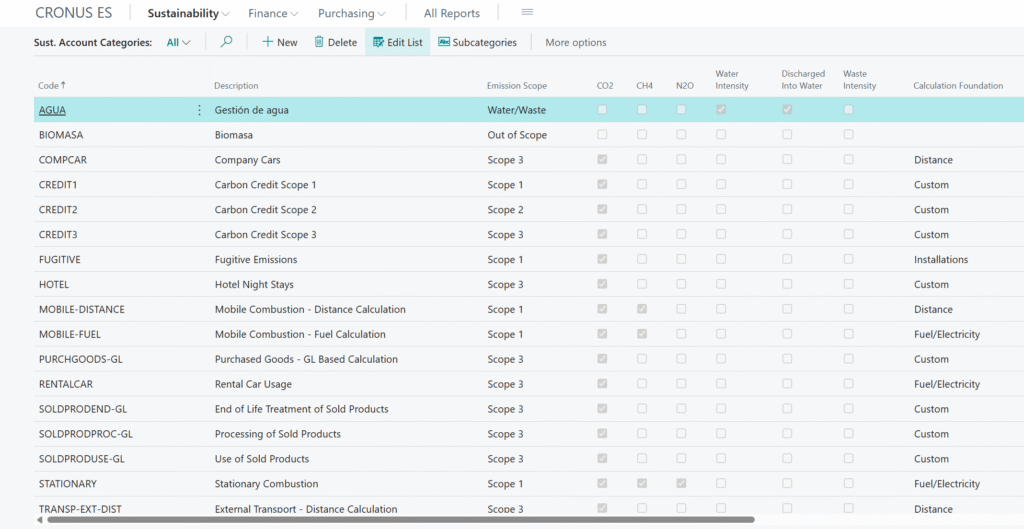
As we can see, among other fields, there are options for calculated GHGs, emission scope, water and waste when applicable, and so on.
However, in the screen example, we’ve selected fuel-type categories in order to display the following structure:
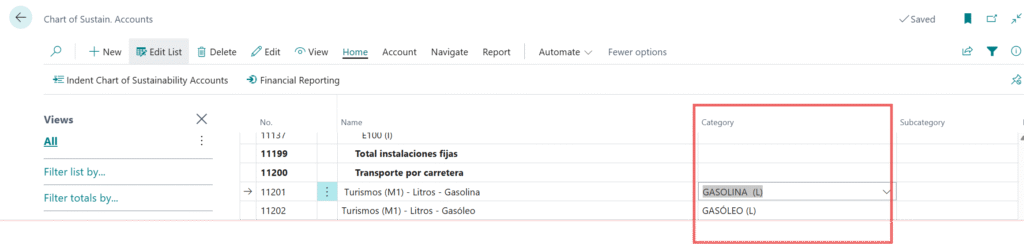
In the example case, the Sustainability Categories define the type of fuel associated with Scope 1 and the activity of Road Transport.
However, we can also use the Sustainability Categories as a master for emission factors and assign the definition of the fuel type to the Sustainability Subcategories instead.
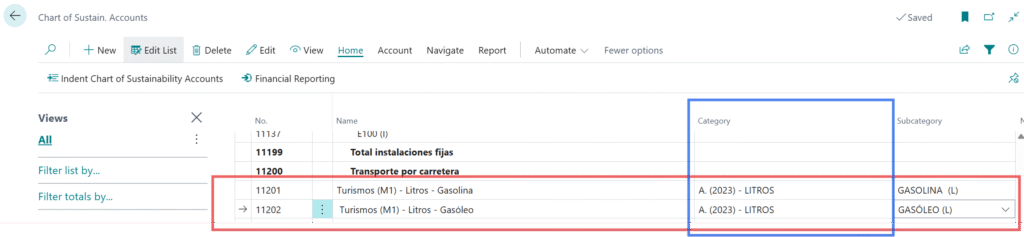
The decision can be complex, but several decision-making factors must be considered:
- Will I use different emission factors per year?
- What structure do I want to see in the Sustainability Chart of Accounts for decision-making?
- What is my organization’s business model?
- Others…
What I mean by this is that there is no single way to configure Sustainability Categories, there are as many configurations as the user needs. A good approach is to put yourself in the shoes of someone, for example, who is entering an energy purchase invoice. What would be the best configuration to help that user select the correct sustainability account, category, and subcategory? That’s a very good question that can guide your setup.
Summary
Sustainability Categories are entities that help us configure our carbon footprint recording model. They guide us (and require us) to make critical configuration choices, such as whether a category falls under Scope 1, Scope 2, or Scope 3. These are essential decisions that will force us to design a logical structure for managing our organization’s carbon footprint in Business Central. We must also indicate which GHGs from the available list fall under each category. Therefore, it’s important to perform a preliminary analysis to build a structure that is flexible enough to adapt to future changes in emission factors, corporate decisions, and reporting needs.
Deja una respuesta